You asked... I delivered. NPS Image Editor 5.x (codename Amethyst) is now available for Mac, Linux, iPhones, and Android devices. But what else is new?
Adaptive UI
If you're using NPS Image Editor on a desktop, the UI changes are minimal. You get the same familiar layout with a toolbox and swatch sidebar, but with a bit more modern polish and pizzazz.
Shrink the window down to phone size and like magic, the UI adapts to fit. Sidebars hide and can be brought back with a tap or swipe. The main menu and toolbar are accessible as a "bento". This design took years to perfect, but up until recently I didn't have the rest of the framework to actually make it happen.
You can switch seamlessly between the two layouts by resizing the editor window, rotating your device, or even forcing the narrow view on a desktop.
Tabs
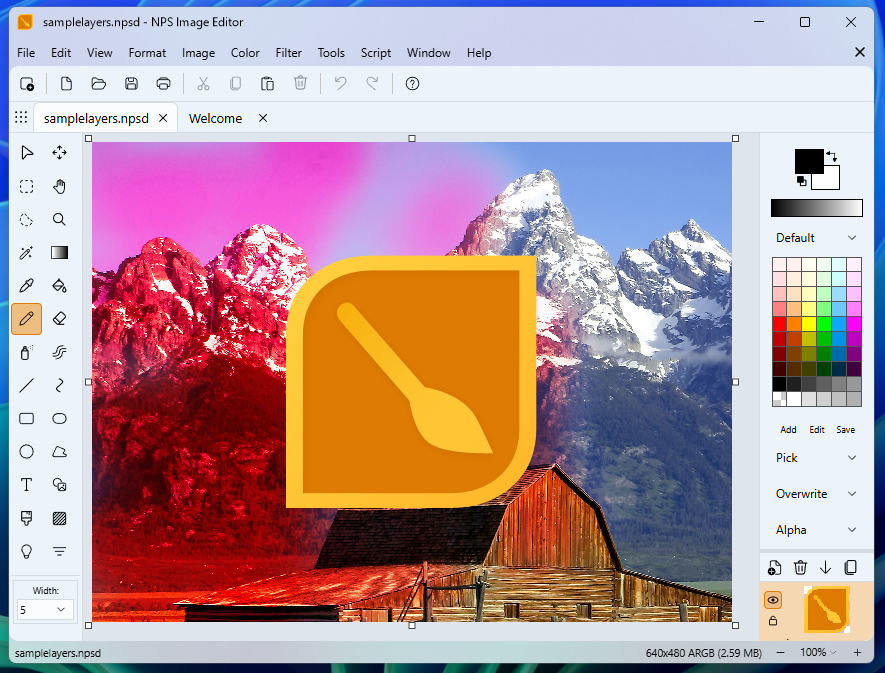
One of the most demanded features (after layers) was being able to edit multiple images in the same window with tabs. This went through a few iterations, not all of which were good.
WinUI provided native tabs on Windows and even supported tearing them off. This worked... OK-ish, but each tab loaded a full editor in memory which was slow. This also meant we were stuck on Windows only.
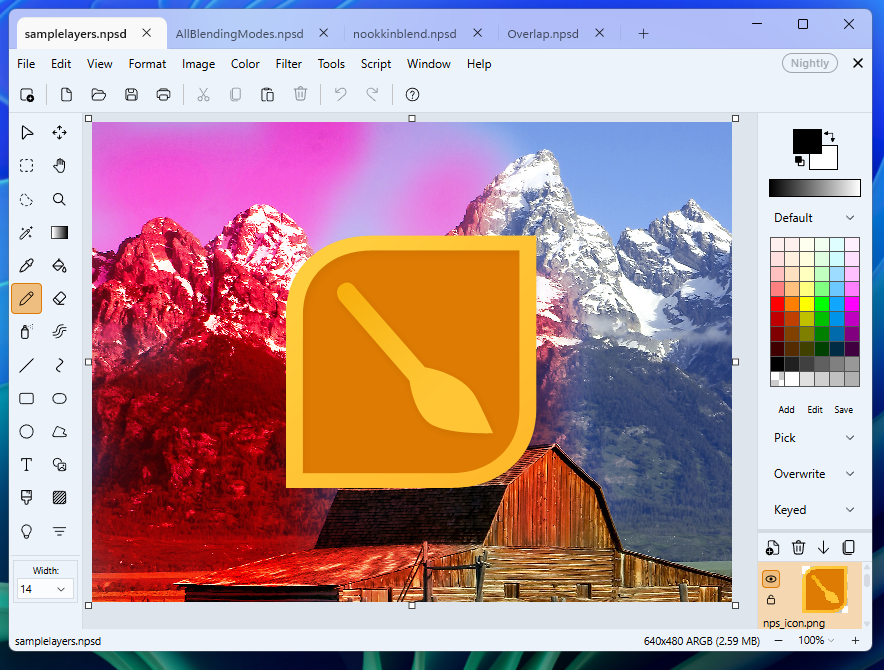
Eventually I came up with a system that allowed React to render the tab strip and manage its own per-tab state, as well as serializing this state. On supported platforms, the host can then process a "tearoff" where the tab is moved to another window.
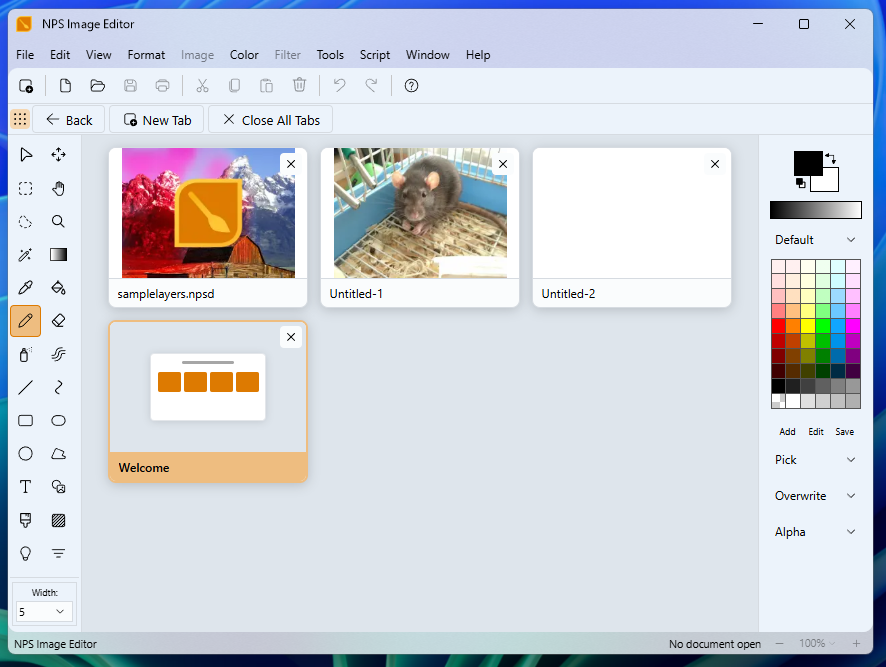
Tabs can also be displayed in a "gallery view" with thumbnail previews. On mobile this is the primary method of handling tabs.
Overview of code structure
NPS Image Editor itself was rewritten as a React application using modern web technologies that are supported on every platform.
Initially I tried to use Blazor which allowed me to use a lot of VB.NET code while modernizing the UI using web technologies, with the existing Pyrite codebase as a backend, and eventual plans for MAUI for the cross-platform support. Prototypes were promising for things like the color picker but the actual image editing was unbearably slow and difficult to work with.
Instead I built on an ancient prototype that was done in pure JavaScript. I had created "NPSWeb" around 2016, and it was capable of drawing a blue line with a manual implementation of Bresenham's line drawing algorithm because HTML5 Canvas can't draw a 1px hard line to save its own life.
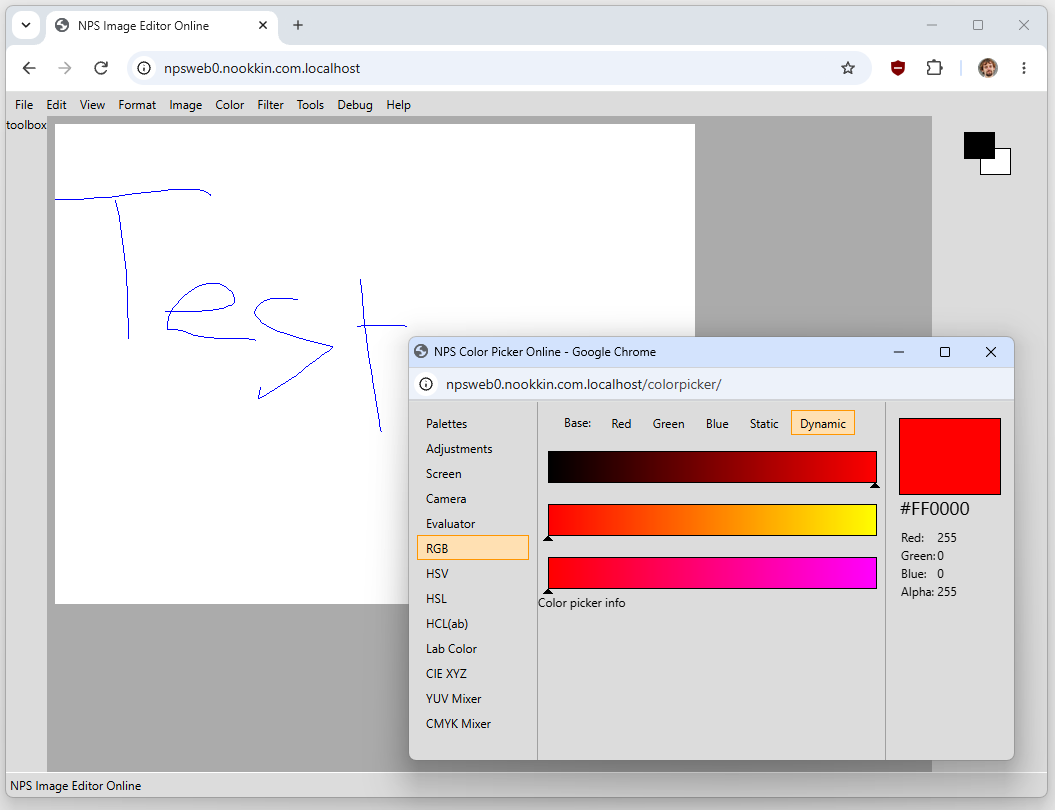
I React-ified it and now I had a nice system to slowly migrate features to. And at this point (during the summer of 2016) I released it as a PWA, but my journey was not done.
Hosts
Browsers, by their nature, restrict access to your filesystem which led to the first hurdle: the only way to save your image was to download it as a new file each time. So something had to change. I decided to keep as much logic as possible in React and then create a thin "host" for each platform.
MAUI
Microsoft's cross-platform .NET platform is called MAUI and theoretically it would handle Windows, Android, iOS, and macOS (via Catalyst i.e. adapting the iPad version). I purchased a cheap Macbook Air in "poor" condition and connected to it remotely, with Visual Studio handling the connection to the Mac to build the iOS package.
It worked great for iOS and Android but the Windows version was slow, and Catalyst was too limiting for a full macOS deployment. So I decided to keep MAUI for mobile only.
Avalonia and Photino
Avalonia is another community-made cross-platform framework as an alternative to WPF, and Photino is a much lighter (hah!) framework that simply hosts a platform-native web view. Photino seemed like the obvious choice but it did not support macOS native menu bars, so I went with Avalonia to ensure that the menu bar works correctly on a Mac. Unfortunately after much trial and error I determined that Avalonia could not display a web view on Linux while Photino worked. Oh well. I ended up using both, with a bunch of shared code with MAUI so each "head" was relatively small.
In the meantime I'm investigating a native Swift-based host for macOS to speed things up. I've had success doing this for the Color Picker which made the entire package closer to 3 MB in size vs. the 140 MB of Avalonia and its dependencies, but this will require re-implementing all of the .NET host operations from scratch.
Pyrite
The Pyrite (4.x) codebase was always meant as a transitional release, taking the proven Obsidian codebase and adding new features to it. I was planning to create a new vs. classic UI toggle and host the React version of NPS within it. This worked during early development but it soon became unworkable due to the fundamental differences in how Pyrite does things vs. what made more sense for the modern hosts.
I ended up back-porting some of the new NPS 5.x features, such as the LUT Manager and filters such as Curves, which run a small embedded ReactPaint; however the main editing tools still use the classic desktop behavior.
WinUI and WinFormsHost
For Windows, Microsoft's preferred framework is WinUI 3. I was able to get ReactPaint running decently but as mentioned previously, the native tab support did not work well.
I wanted to take advantage of Microsoft's Acrylic glass styles but the unfortunate irony is that you cannot use WinUI with a transparent WebView2. Beyond that, there really was nothing I needed from WinUI itself beyond window management.
I ended up creating a simple WinForms host from the ground up (not Pyrite) which followed the modern host behavior and could share code with MAUI, Avalonia, and so on. It is only a few MB in size, supports the transparency effects I wanted, and can even run old Obsidian/Pyrite extensions on Windows.
Pyrite = Classic
I will continue to support NPS 4.x as the "Classic" version for Windows users, and 5.x as the "Modern" version. At the moment there is very little that 5.x is missing, so I would recommend giving the modern version a try.
But if you want to keep using the classic version, it will still be supported for a while. You can install both side by side, and the classic version now includes some of the new features from the modern version.
The future
- Translations - I've made a set of machine translations that you can access in the debugging tools, so the framework is there but I'm unsure about the quality at the moment
- Text and path layers for even more non-destructive editing
- A tool to visually build your own filters. It's something I've wanted to make for many years but React opens up the possibility of using numerous libraries for node-based edits.
I'll try to keep the Roadmap updated. But in the meantime, download it on all of your devices and let me know what you want to see next. I had a lot of fun making it and I hope you all have a lot of fun using it.

Comments (0)
Leave a comment